From "Vibe" to "Verified": How to ship AI-generated apps to production
Learn how to take vibe coding to production. A guide for executives on shipping AI-generated apps with security, scale, and speed in mind.
Marek Nowicki
Full Stack Developer
2026-02-25
#Development
Time to read
7 mins
In this article
Introduction
The tools of the trade: Picking your vibe engine
The great debate: Can vibe coding produce production-ready code?
Step 1: The "write" way to work
Step 2: Securing the vibe
Step 3: Finding the critical path
Step 4: Database optimization
Step 5: Testing (the un-fun part)
Step 6: The vibe coding CI/CD pipeline
A production checklist for vibe coders
How long does it actually take?
Moving forward: The future is hybrid
Share this article
Introduction
You’ve seen the videos. Some guy on Twitter—excuse me, X—types three sentences into a prompt, leans back, and a fully functional SaaS app appears on his screen like magic. It’s intoxicating. For a C-level executive, it feels like the Holy Grail. No more six-month roadmaps. No more "we need to refactor the legacy middleware" excuses. Just pure, unadulterated speed.
We call this vibe coding. It’s the art of using AI to build software through conversation and intuition rather than manual syntax. But here is the cold, hard truth: a "vibe" is not a business. A prototype that looks great on your laptop is a far cry from a production-grade application handling thousands of paying customers, sensitive data, and edge cases that would make a seasoned developer sweat.
So, how do you take that AI-generated magic and turn it into something you can actually stake your reputation on? I’ve spent the last few months diving into the "vibe-to-production" pipeline, and I’m here to tell you that it’s entirely possible—if you know which corners to cut and which ones to guard with your life.
The tools of the trade: Picking your vibe engine
Before we talk about production, we have to talk about how you’re building. In 2026, the landscape has shifted. We aren't just using simple chatbots anymore; we’re using AI-native IDEs and autonomous agents.
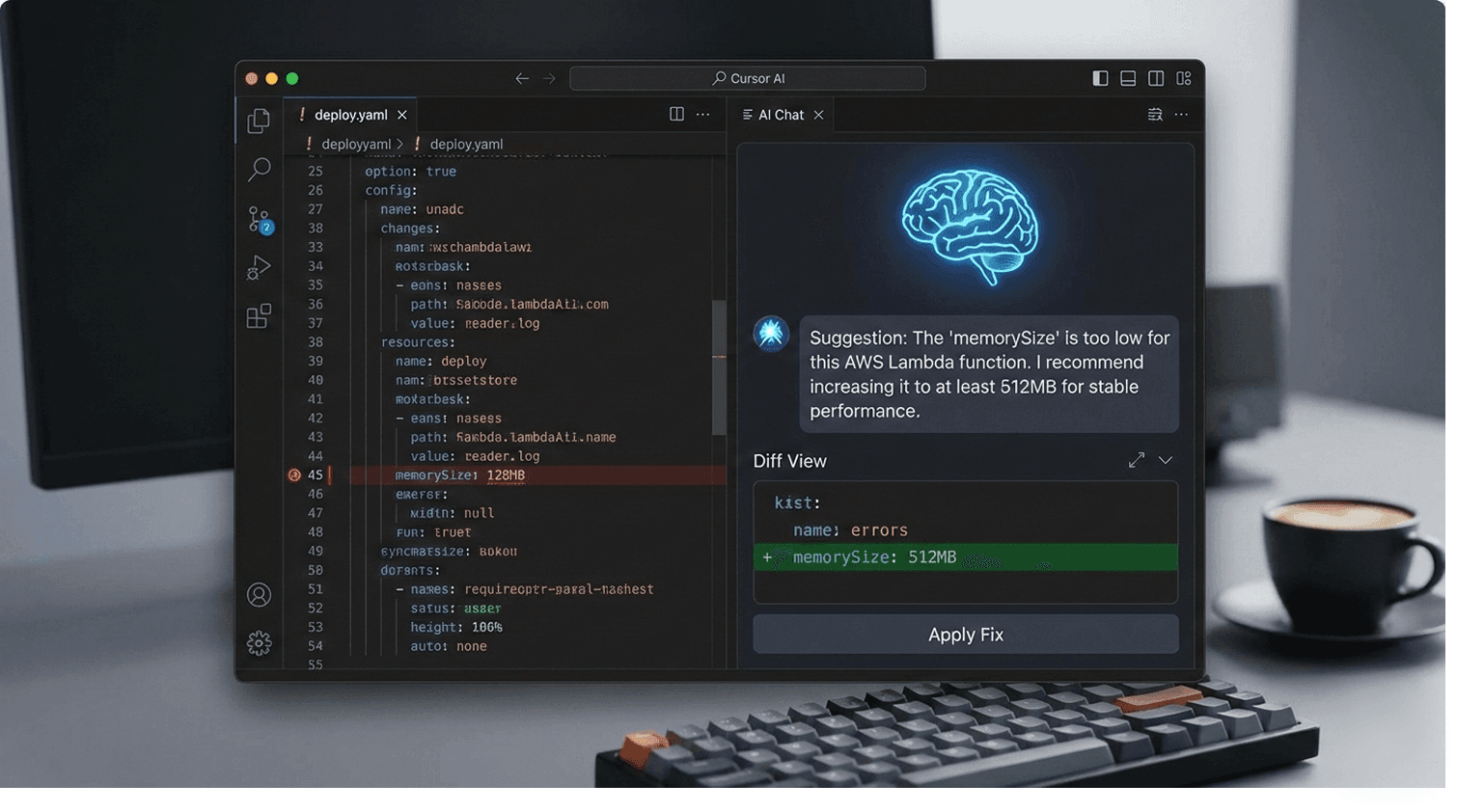
If you’re looking to move fast, you’re likely using one of these heavy hitters. I personally find that Cursor AI and Windsurf are the current gold standards for anyone who wants a "real" codebase they can actually own.
TOP VIBE CODING TOOLS FOR EXECUTIVES
| Tool | Best for | Why it works for production |
|---|---|---|
| Cursor AI | Transitioning prototypes | Deep context awareness; it knows your whole codebase. |
| Windsurf | Complex, multi-file apps | Its "Cascade" mode can handle architectural changes autonomously. |
| Bolt.new | Rapid UI-first shipping | Runs everything in the browser; one-click Netlify deployment. |
| Lovable AI | Non-technical founders | Handles the "scary" stuff like auth and DBs automatically. |
| Devin AI | End-to-end engineering | Can actually plan and fix bugs without you hovering. |
Request a free development consultation
Contact us for a free consultation in just 1 step!
The great debate: Can vibe coding produce production-ready code?
I get asked this at least once a week: Can vibe coding produce production-ready code?
The short answer is: Yes, but. The "but" is where most people fail. AI is like a brilliant, incredibly fast junior developer. It will give you exactly what you asked for, but it won't always tell you that you’ve left the digital equivalent of your front door unlocked. To get to production, you need manual review, rigorous testing, security audits, and optimization. You cannot just "vibe" your way into a SOC2-compliant environment. You have to verify the vibe.
Step 1: The "write" way to work
When you’re using tools like Cursor AI or Windsurf, you’ll notice two distinct modes. Understanding the difference is the first step in your cursor AI production workflow.
- Chat Mode: This is for brainstorming. You ask, "How should I structure this database?" and it gives you advice. It’s a consultation.
- Write Mode: This is where the magic (and the danger) happens. Write mode allows the AI to make direct changes across multiple files.
For a replit agent production app, you’ll mostly be in Write mode. My advice? Treat Write mode like a high-powered power tool. It’ll build your house in a day, but if you aren't careful, it’ll take a finger off. Always review the diffs (the changes) before you hit "Save."
Step 2: Securing the vibe
Security is usually the first thing to go when you’re "vibing." You’re so excited that the login button works that you don't realize the password is being sent in plain text. (I’ve seen it happen. It isn't pretty.)
To secure a vibe-coded application, you need to do three things immediately:
- SAST Scans: Use tools like Qodo to run Static Application Security Testing. It looks for "dumb" mistakes the AI might have made.
- Input Validation: Never trust what a user types. Make sure your AI has written code that checks and cleans every piece of data coming in.
- Auth Check: If you used a platform like bolt.new, check their deployment guide to ensure your environment variables (like API keys) aren't hard-coded into the frontend.
Step 3: Finding the critical path
You don’t need to refactor every single line of code the AI generates. That would defeat the purpose of using AI in the first place. Instead, focus on the critical path.
The critical path consists of the most frequently called functions that represent your app’s core functionality. If you’re building a payment app, the "Process Payment" function is the critical path. The "User Profile Picture Upload" is not.
Should I refactor all AI-generated code? No. Refactor the critical path and any production-facing code that handles data. If the AI wrote a slightly messy but functional script for your "About Us" page animations, leave it alone.
Step 4: Database optimization
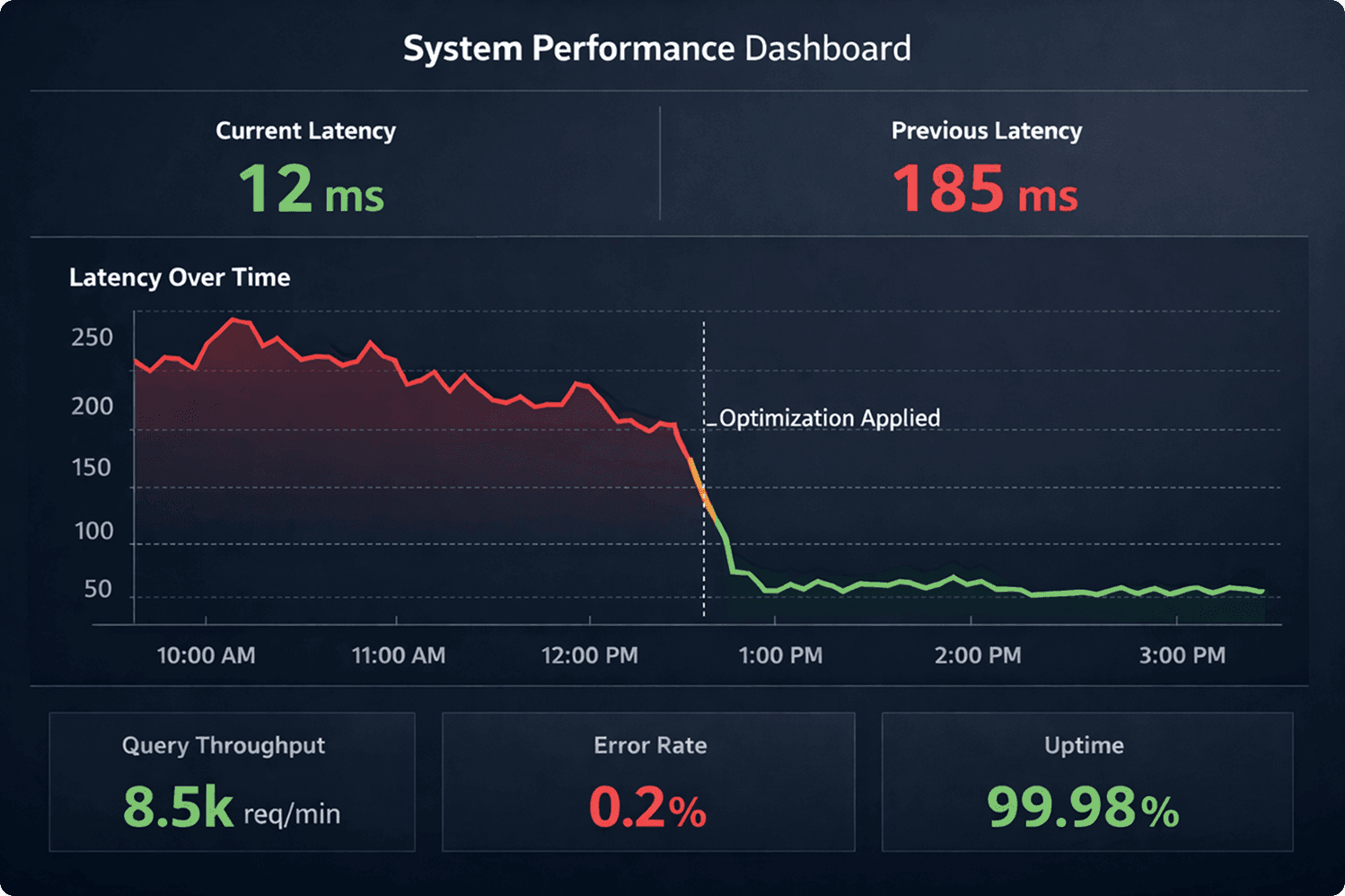
Vibe coding often results in "lazy" database queries. The AI might fetch 1,000 rows when it only needs one. This works fine when you have one user (you), but it will crash your app when you have 100.
For vibe coding database optimization, focus on:
- Indexing: Make sure your database can find information quickly.
- Caching: Use a tool like Convex or Redis to store frequently accessed data so you don't have to hit the database every single time.
- Query Patterns: Ask your AI specifically, "Can you optimize these SQL queries for a production load?"
Step 5: Testing (the un-fun part)
I know, you wanted to ship today. But AI generated code testing is the difference between a successful launch and a 2:00 AM emergency rollback.
At a minimum, you need:
- Unit Tests: Does this specific function do what it’s supposed to?
- Integration Tests: Does the frontend actually talk to the backend?
- End-to-End (E2E) Tests: Can a user actually sign up, click a button, and get the result they paid for?
Tools like Qodo are great here because they can actually write the tests for the code the AI just built. It’s AI checking AI. We truly live in the future.
Step 6: The vibe coding CI/CD pipeline
You’re ready to ship. Don't just drag and drop files onto a server like it's 2004. You need a vibe coding CI/CD pipeline.
For most of the apps I build, I use Vercel, Netlify, or Railway. They offer one-click deployment that links directly to your GitHub repository. Every time you (or your AI) makes a change, the pipeline automatically runs your tests and, if they pass, updates the live site.
How do I deploy a vibe-coded app?
- Push your code to GitHub.
- Connect your GitHub to Vercel or Railway.
- Set up your Environment Variables (this is where your secret keys live).
- Hit deploy.
A production checklist for vibe coders
If you’re a C-level exec looking to sign off on a project, keep this production checklist on your desk:
✔️ Security: Have we run a SAST scan?
✔️ Performance: Is the database indexed?
✔️ Reliability: Are there unit tests for the "payment" and "auth" flows?
✔️ Monitoring: Do we have a tool like Sentry or LogRocket to tell us when users see errors?
✔️ Scalability: What happens if 1,000 people sign up at once?
How long does it actually take?
You might be wondering, "If the AI built the prototype in an hour, how long until I can actually sell this?"
Depending on the complexity, expect 1 to 4 weeks to properly audit, test, optimize, and secure a vibe-coded prototype for production. Yes, that’s longer than an hour. But compared to the 3 to 6 months of traditional development? It’s a lightning strike.
Moving forward: The future is hybrid
Vibe coding isn't about replacing developers; it's about giving them - and you - superpowers. It allows you to convert a prototype to a scalable app at a fraction of the traditional cost.
However, the "vibe" is just the inspiration. The "production" is the discipline. By focusing on the critical path, securing your data, and using the right deployment pipeline, you can ship high-quality software faster than your competitors can even finish their sprint planning.
I’ve seen companies go from "napkin sketch" to "paying customers" in seventeen days using this exact workflow. It’s messy, it’s fast, and it’s a little bit scary. But man, is it a fun way to build.
Need help with this in your product? Our senior engineers run an AI code audit on apps built with AI coding tools before they go live. See how we built Immersey, an AI character platform, or book a free 15-minute call.
Marek Nowicki
Full Stack Developer
Share this post
Related posts





Want to light up your ideas with us?
Kickstart your new project with us in just 1 step!